AI YouTube Shorts Generator
Turn a rough concept, script, or creative brief into a publish-ready YouTube Short with AI voiceover, captions, scenes, and vertical pacing. ShortsMate works as an agent-driven YouTube Shorts AI video maker, helping you build faceless content without stitching together separate writing, subtitle, and editing tools.
Select Duration
AI Images
AI generated images with motion effect
AI Videos
AI generated video clips
Stock Videos
Satisfying videos that grab attention
Enable motion effect
Alloy
#none
How to Make YouTube Shorts with AI
Go from idea to a YouTube Shorts-ready video in four straightforward steps.
An AI YouTube Shorts Generator Built for Hooks, Captions, and Fast Vertical Publishing
A YouTube Shorts generator needs more than a 9:16 export. ShortsMate helps you shape the hook, generate AI voiceover, add captions, plan scenes, and package the final cut so you can make faceless Shorts faster from one workflow.
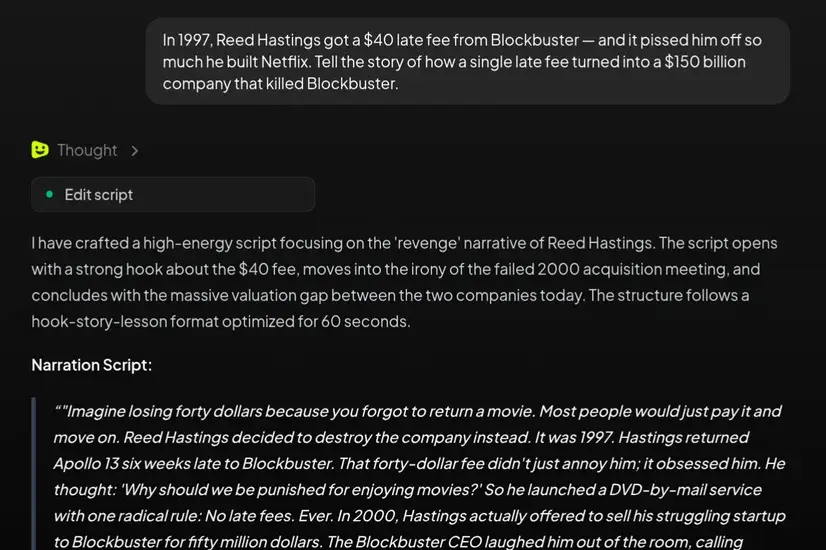
Start a YouTube Short from a script, topic, or rough idea
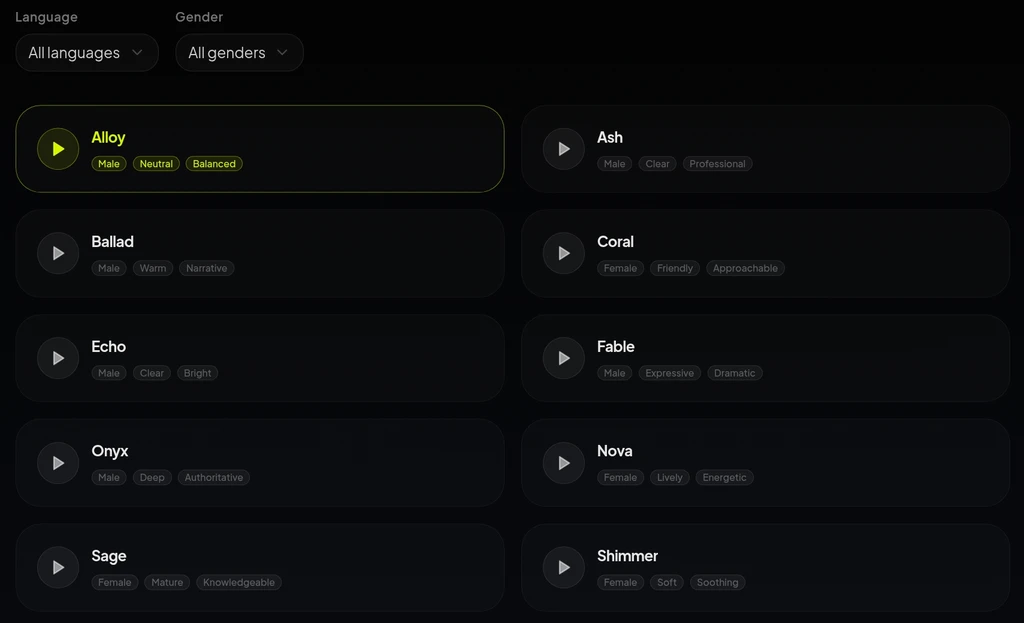
Generate AI voiceover, captions, and scene timing together
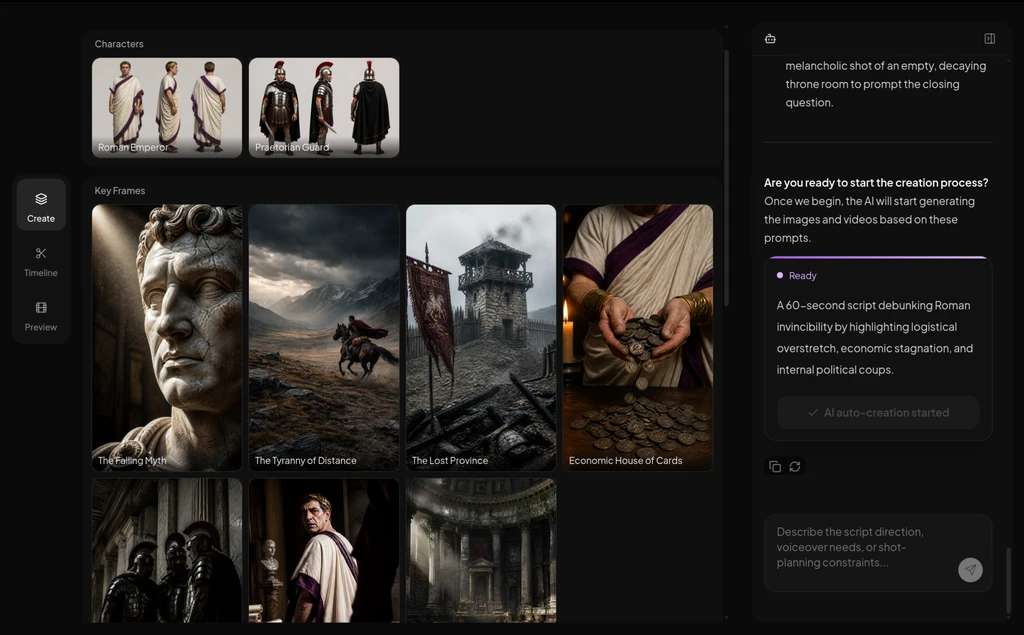
Package the final cut as a faceless YouTube Short
Best Use Cases for an AI YouTube Shorts Generator
This is a strong fit when you need a YouTube Shorts generator that helps with hooks, captions, and vertical packaging, not just a generic AI video export.
YouTube Shorts explainers and commentary clips
Turn a topic, hot take, lesson, or analysis idea into a narrated short video without filming yourself on camera.
Product stories and promo Shorts
Use AI to turn a product angle, launch message, or creator pitch into a faster YouTube Short draft with voice, captions, and scenes already aligned.
Faceless Shorts storytelling formats
Shape a narration-led idea into a YouTube Short that keeps the hook, story flow, and captions moving together in a clearer first version.
Repeatable YouTube Shorts channel formats
Automate the heavy lifting for recurring Shorts topics so you can scale one content format without rebuilding the production stack for every new post.
AI YouTube Shorts Generator: Common Questions
Best when you want AI to handle the work between a raw idea and a YouTube Short with voiceover, captions, scenes, and vertical pacing.
What is an AI YouTube Shorts generator?
An AI YouTube Shorts generator helps turn an idea, script, or narration prompt into a YouTube Short with AI-generated voiceover, captions, visuals, and short-form pacing. It works best when you want one workflow to handle the planning and production work instead of stitching separate tools together.
How do I make YouTube Shorts with AI?
Start with a topic, script, or rough angle, choose the voice and visual format, then let AI build the hook, narration, captions, scene timing, and first Short version. After that, you can review, regenerate, and publish.
Can I make YouTube Shorts from a script?
Yes. If you already have a script, outline, or talking points, ShortsMate can use that input to create YouTube Shorts from script with AI voiceover, captions, scenes, and vertical pacing built around the words.
Can AI generate voiceover and captions for YouTube Shorts?
Yes. ShortsMate can generate narration from the input and build timed captions around the spoken track, which makes it easier to create a YouTube Short with captions without a separate recording and subtitle-sync workflow.
Can I use this as a faceless YouTube Shorts generator?
Yes. This workflow is a strong fit for creators who want a faceless YouTube Shorts generator that can handle voiceover, captions, scenes, and pacing without requiring an on-camera recording workflow.
How is this different from an AI TikTok video generator?
Start here when the output needs to feel made for YouTube Shorts publishing. If the main goal is TikTok-style viewing, captions, and posting, a TikTok-focused tool is usually a better fit for that platform-specific intent.
Make Your Next YouTube Short with AI
Hand ShortsMate a rough concept, script, or creative brief and let the AI agent build the hook, voiceover, captions, visuals, and pacing. You get a publish-ready vertical video faster without juggling separate creation tools.